Welcome. We are Aarón Alzola Romero and Elton Barker, from the Open University's Department of Classical Studies. This blog is part of a broader research project exploring the uses (and abuses) of mobile learning in the Arts. Our aim is to examine mobile learning applications, assess their strengths and weaknesses (in terms of user interaction, contribution to learning outcomes, cost and popularity), identify areas of opportunity and challenges in their future implementation and assess the impact that mobile learning solutions have on the delivery of Arts courses.

Sunday, 22 April 2012

ML: More with Less


When designing ML (mobile learning) solutions, the temptation can be to cut corners by simply cramming an existing resource (e.g. a website) into a smaller screen.

This often turns out to be a poor solution (as highlighted by the W3C Device Independence report) for several reasons, including:

  1. It leads to a poor navigation experience (due to incompatibilities with screen size, interface design, etc.)
  2. perhaps more importantly – using resources on the go is not the same as sitting at one’s desk (the priorities, needs and circumstances can be very different, therefore calling for different solutions)

When planning out a process of content adaptation for mobile interfaces, it can pay off to think critically about which elements to keep and what to omit, shuffle the order of things (based on mobile user priorities) and consider potential restrictions (e.g. sun glare, screen size, availability of internet signal, etc.). With mobile learning, the rule of the thumb tends to be: less is more.

Mobile learning – doing more with less. (Image: CC by OakleyOriginals.)


An example of a great adaptation from desktop resource to ML tool is the Open University library mobile site, which was updated earlier this year.

Based on a user consultation, consumer feedback and studies of user behaviour through Google Analytics, the mobile version of the Library website was revamped. Content was stripped down to offer only the most used services on the home page. New context-specific tools were implemented (e.g. SMS reminders) and the navigation experience was simplified by developing a consolidated search to bring together results from various sources.

Tools like MoFuse or GetMo might do a decent job optimising design and layout for mobile interfaces. However, as well as layout, it is important to think about the priorities, needs and circumstances of ML users, which often means getting the hands dirty and redesigning resources.

Sunday, 15 April 2012

If the mountain will not come to Muhammad...


When we think of the term “mobile” (as in mobile phones and mobile learning) we tend to imagine gadgets that we carry around with us, allowing us to do things like get connected to the internet, talk to each other, move our data from one place to another, and so on. However, according to some techie gurus, the future of “mobile” could be very different. They believe that in a few years time we might live in what they call “the internet of things”.

The idea is that, as micro-technology becomes more efficient and processors become cheaper, all sorts of household objects will have embedded network-enabled processors, giving them the capacity to access the internet and process information on our behalf. This means that, eventually, the material world we live in will become one big, interconnected place, bridging the divide between the real and virtual realms and, potentially, making smartphones, laptops, tablets etc. redundant. There won’t be a need to carry internet-enabled gadgets with us – the internet will be quite literally all around us.

Is this ever going to happen? Well, we’ve already developed things like internet TV sets (which are becoming fairly commonplace) as well as some flashier concepts, like remote controlled smart homes (allowing us, for example, to switch the heating on or off from work) and internet fridges (capable of placing a supermarket order on our behalf if we’re running low on yoghurt). These ideas have been around for a while, but they’re not quite taking the market by storm – I wouldn’t ditch your tablet just yet.

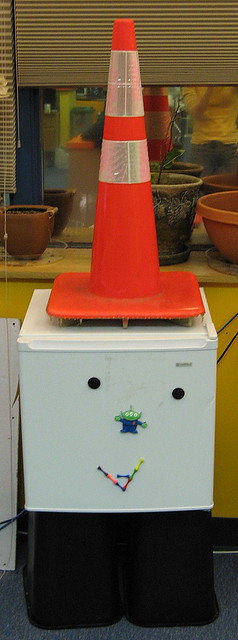
A smart fridge? Image: CC by saeru

What is much more likely to become a reality in the near future is near field communication (NFC). Applied to mobile technology, NFC means that your mobile device will emit short-range radio frequency onto a nearby receiver (say, a tag with a small embedded circuit). When the waves bounce back from this object, they will carry information that can be read by your device, thus establishing a two-way communication system. The principle is similar to the technology used by contactless credit card payment systems and anti-theft electronic tags in shops. The key advantage of NFC is that, unlike talking fridges and super high-tech conservatories, NFC receivers are very cheap (a museum or classroom could easily afford to plaster the place with hundreds of NFC tags). The first NFC-ready phone was the Nokia 6131 (released in 2006), so NFC is not quite cutting edge as far as the mobile phone industry goes. However, the technology is now being backed by some big players, including Google Wallet (yes, that’s the same Google that owns and runs Android), so we can probably expect to see a lot of NFC coming our way soon.


Monday, 26 March 2012

Augmented reality


Internet use grew rapidly across the more industrialised areas of the world during the 1990s. As the technology found its way into people's homes and offices, some users expressed unease about perceived clashes between the “real” world and that new virtual universe that we were creating (Neuromancer and Blade Runner were probably still fresh in everyone's minds).

Today we know that the divide between the virtual and the real worlds is not so clear-cut after all, and that, in fact, the most efficient uses of ICT involve combining virtual and real elements. Augmented reality (AR) is a good example of this. The technology involves representing the world (as perceived by humans) and adding an extra layer of computer-generated sensory input (such as sound, video, text, graphics or GPS data). This leads to something that is, well, more than real.

More than real? (Image: CC by Allan Warren).

The idea behind AR has been around for some time (e.g. Virtual Reality goggles, special effects, jet fighter displays, etc.) but mobile technology (and in particular smartphones) has allowed it to really take off in the last couple of years. The combination of portability with webcams, relatively fast data connections, GPS, decent processing power and a user base of potentially billions of people is bringing AR out of the IT labs and into parks, streets and museums all over the world.

AR has a plethora of applications in mobile learning. The technology allows us to convey information in a more engaging manner, highlighting interrelations between different elements (e.g. physical, spatial, conceptual, textual...). In addition, AR appeals strongly to the principle of experiential learning. For example, The Open University has produced an augmented reality app that allows users to explore ancient theatres by superimposing CGI layers of reconstructed architectural features on the images captured by the smartphone in real time as the user walks down the street. Similarly, MoL's Londinium app transports users 2,000 years back into Roman London.

Augmented reality is not only capable of superimposing images; we can also combine different media to produce new, powerful resources, such as the Portable Sign Language Translator, which identifies sign language gestures through the device's integrated camera, processes the images and then translates them into audible speech, allowing real-time conversations between deaf and hearing people.

AR is moving in exciting new directions and is likely to have a big impact on mobile learning in the near future. With the availability of authoring tools like Wikitude, some of the old obstacles (e.g. price and technological skill) are  much easier to overcome. Anyone (teachers, students, self-help groups...) can generate and share their own AR resource with little / no investment or training.

Sunday, 18 March 2012

Learning by tinkering


Raspberry is the latest fruit to hit the IT market, and initial sales figures suggest that it is going to cause quite a stir. This is great news for mobile learning. Raspberry has been conceived from the outset as an educational tool, which is a breath of fresh air in the current IT landscape.
(Image: CC by Fir0002).

Today, the most widely used operative systems (MS Windows and iOS) not only don’t encourage customers to look under the bonnet – they have welded the bonnet firmly shut (and include causes in their EULAs threatening users with legal action if they attempt to have a sneaky peek by reverse engineering). The most popular forms of software are not powerful, highly scalable tools in a versatile commandline environment, but off-the-shelf apps where “configuration” means the option to change the screen’s background colour. Ironically, the deeper technology sinks into everyday life, the more remote it can come to seem.

Yes, downloading an app is much more convenient than compiling source code, and yes, most end-users would rather not have to churn out a custom-made Java script every time they feel like increasing the font size. However, this wealth of off-the-shelf IT solutions leaves us asking ourselves an important question: where is the next generation of programmers and IT engineers coming from? Where is the equivalent of that generation who keyed in their own scripts into a BBC Micro or an Amstrad? In the words of Raspberry’s creator, a Cambridge-based engineer, applicants for degree course places “[didn’t] seem to know enough about what a computer really was or how it worked… I found it worrying”.

Raspberry is designed to tackle this issue. It is portable, dirt cheap, and addresses a key aspect of mobile education: learning by tinkering. As illustrated by Marian Petre, playing and learning have an an important feature in common – they are construction processes. Building things, tinkering and generally messing about with things are some of the most powerful forms of discovery. They promote self-improvement, lead to challenge-based accomplishments and encourage reward-driven exploration.

One of the most surprising aspects behind the principle of learning by tinkering is that it often does not feel like learning at all. These activities work best as informal learning. In fact, the less structured and more rebellious the activity, the better. Cracking game licences, circumventing a school’s firewall policy or hacking into the teacher’s computer are just perfect.

Raspberry was designed specifically to foster learning by tinkering in relation to IT engineering. But the same principle applies much more broadly in mobile learning. Mobile devices provide access to a vast range of environments that have great potential for informal learning in the sciences and arts – social networking, games, media repositories, etc. Allowing students to tinker with these resources as part of an enquiry-based learning strategy can lead to the development of experimental and analytical skills, delivering experiential learning more efficiently than some traditional pedagogical methods.

Sunday, 11 March 2012

A post-PC era?


Around about two years ago, Apple, IBM and a few other computer giants boldly proclaimed that the post-PC era was nigh. The world was going to go mobile and there was no way back. so, what's the score today?

PC sales have undoubtedly taken a big knock (and are expected to continue to fall in the long run). Manufacturers are avidly pushing tablets and smartphones into people’s homes, spurred by astronomical profit margins (potentially as high as 55.1%, compared to the <5% profit margins of desktops).

Many of the consumers who used their desktop computers to check e-mails and play MP3s at home realise that a smartphone or tablet will do this just fine. In addition, aggressive marketing campaigns have made some mobile devices a must-have fashion accessory (for instance, according to Design Milk, their new iPhone case is just divine). So the sale of tablets and smartphones is soaring, in detriment of desktop sales.

However, does this really spell the end of the desktop computer? Anyone who has battled with a trackpad for more than half an hour, attempted to type more than a page of text on an iPad virtual keyboard, considered the possibility of a hardware upgrade in a mobile device (you'll be lucky if you get to the iPhone's battery!), or tried to play anything more sophisticated than Angry Birds on a smartphone knows that the desktop computer is unlikely to be wiped out by a mobile device any time soon. Our computational needs are far too complex and varied to be successfully covered by a single device.

This raises an important point about mobile learning. Mobile learning will not replace more traditional pedagogical methods and media (and was never really intended to do so in the first place). Mobile Virtual Learning Environments and educational smartphone apps will not substitute textbooks or the relationship face to face with tutors. Instead, the strength of mobile devices in education lies in their capacity to allow students and teachers to complement the learning process (conceived in a broad sense), by addressing niche areas, such as:

-Reward-based approaches
-Asynchronous interaction
-Sporadic use / use of dead time
-Collaborative and group-based learning
-Exploration-based / self-learning approaches

When researching mobile learning solutions (and ICT-enabled education in general), it is easy for us to get carried away and confuse the medium for the message. This would be wrong – the focus should remain on learners and the totality of the learning process. Mobile learning is just a small part of a broader and more complex learning process. It will never cover all the educational needs of teachers and students, just like tablets and smartphones will never cover all the computational needs of all users all the the time.

Tuesday, 6 March 2012

MWC 2012


Barcelona was the place to be last week. The 2012 Mobile World Congress (MWC), which has just come to an end, showcased technological advances, brought together the big – and not so big – players of the mobile industry for a few days and gave us a glimpse of what is soon to come to our nearest mobile shops.

At first glance, it is clear from all the displays and presentations that Android-based platforms are taking the market by storm, leaving proprietary systems such as iOS and Windows behind (as they are struggling to compete with the open source, community-based development model). Surprisingly (for a sector that is driven by fierce innovation and characterised by a trigger-happy approach to copyright infringement lawsuits), handset and interface designs are looking more and more similar. MWC 2012 was a sea of slim, black phones with large touchscreens populated by rows of colourful square icons – it takes a keen eye to distinguish one handset from another.

Under the bonnet, however, there are exciting developments. Forget the cliché “a smartphone is like a hand-held computer” – most of the smartphones displayed in MWC 2012 have in fact more processing power than the computers I use at work. Quad core processors and high resolution screens allow these new handsets to run fairly resource-intensive software. In addition, a proof of concept demonstration of 4G data connectivity achieved speeds of 1.429 gigabits-per-second, which puts broadband speeds to shame.

All this extra umph is opening up new and exciting possibilities. My personal favourite is the mobile-desktop hybrid idea. Since some smartphones are now powerful enough to run a full-fledged OS, developers are making them do just that. There is no need to go through the hassle of syncing your phone or trusting all your personal files to a cloud server located on the other side of the world. Instead, we can now carry our entire OS with us in our handset. Simply dock the phone into a laptop, desktop or any other compatible device wherever you go and boot up. When you’re done using it, slide the phone out and off you go. This is potentially a revolutionary response to the portability-display compromise.

With regard to content, things are not quite as rosy. Although MWC had planned for a good range of content-based displays and presentations (e.g. the App Planet, developers conferences, and even dedicated mobile learning sections), the level of innovation shown by mobile content struggled to match the level of attention devoted to processors and connection speeds. Android devices might be based on community-driven development models, but it is clear that when it comes to spending money on innovation, corporate interests dictate the agenda in a fiercely competitive market.

Thursday, 16 February 2012

Smart accessibility in smart phones?


The Italian National Research Council will be hosting an International Symposium on Mobile Learning for Visually Impaired People this May. The programme covers a range of issues relating to mobile education, including pedagogical theory, interface design, innovations, and, of course, accessibility.

When it comes to accessibility, mobile devices have been something of a mixed blessing for people with disabilities. Projects such as The Global Accessibility Reporting Initiative and Access World have been tracing the advantages and disadvantages of mobile phones for people with visual, hearing, mental and / or physical impairments.


What is clear from these reports is that the design and functionality of mobile devices (and therefore the opportunities and challenges associated with them) have changed dramatically in the last decade. For example, a few years ago there were concerns about phones becoming smaller (which caused difficulties for people with mobility and visual impairments). This is now obsolete, as the design of smart phones incorporates increasingly large screens. Similarly, a significant amount of research was conducted around the usability of keypads (which have now disappeared in most handsets).

Phones are undoubtedly getting smarter, but do smarter phones mean smarter accessibility? On one hand, people with disabilities have a new range of functions at the tip of their fingers: voice recognition, text-to-speech engines, and a large number of specialised apps. However, there is also a new set of obstacles. For example, navigating through complex environments with a touchpad can be cumbersome for people with visual and mobility-related disabilities. Users with hearing aids experience disturbances due to electromagnetic interference (EMI). Mobile devices are also increasingly interactive (which is part of their appeal and potential as educational tools!). Contents are meshed up and interface designs are moving away from the principle of one activity per window, building instead complex information landscapes (with multiple crossovers between different applications).

This adds layers of complexity to accessibility solutions designed to run in parallel to pre-existing interfaces. Perhaps accessibility solutions have been too much of an afterthought (i.e. bits of technology patched up with various degrees of success). The conclusion we are drawn to is that, when designing new mobile-based teaching tools, it would probably save us, and our end users, lots of headaches in the future if accessibility was conceived from the outset as a feature, rather than an add-on.