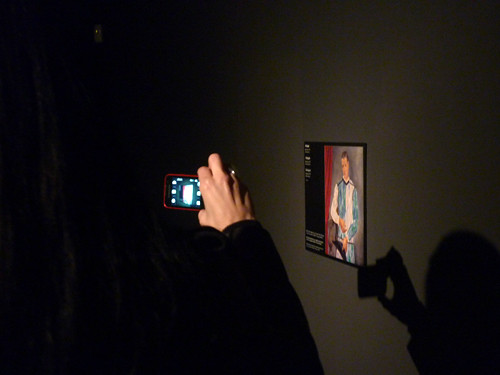
Welcome. We are Aarón Alzola Romero and Elton Barker, from the Open University's Department of Classical Studies. This blog is part of a broader research project exploring the uses (and abuses) of mobile learning in the Arts. Our aim is to examine mobile learning applications, assess their strengths and weaknesses (in terms of user interaction, contribution to learning outcomes, cost and popularity), identify areas of opportunity and challenges in their future implementation and assess the impact that mobile learning solutions have on the delivery of Arts courses.
Showing posts with label mobile learning. Show all posts

Sunday, 20 May 2012

Galileo and ML

Galileo is a global positioning system that is currently being deployed by the European Space Agency. It's made up of a network of satellites which will complement and integrate with the functionality of existing international positioning systems. Despite a fair amount of funding headaches (and a little tantrum thrown in by the USA), the first Galileo satellite was successfully launched in 2005. The system is not expected to be fully operative until around about 2015.

Galileo Galilei. Portrait by Ottavio Leoni, 1624.


Compared to current global positioning systems, Galileo introduces a few snazzy features. However, the feature that really stands out (in terms of its implications for ML) is its level of precision. Galileo will be accurate down to the metre range. Current general-purpose GPS receivers have an accuracy range of about 10-20 metres (or even worse at high altitudes). This means that, in practice, they only work as navigation systems for large, open areas. For example, integrated with a ML smartphone app, these systems are able to tell us where the nearest open museum is, what building we are looking at, or what part of town we are in.

With Galileo, provided a clear satellite signal is available, mobile devices will be able to detect which display case museum visitors are standing by (and provide personalised content at point of consumption); generate diagrams showing how people move around the gallery on a metre-by-metre basis and how long they spend interacting with each individual display (facilitating user data analysis for curators and events organisers); they could allow participants in educational crowdsourcing projects to geotag locations / learning resources / interesting features in libraries, archaeological sites, art galleries, etc. with a high level of precision (making it easy for other users to go back to that precise spot, find the resource and benefit from it); they could provide a new set of tools for blind students to engage with educational resources spatially in a classroom or lecture hall.

By reducing the error margin of existing geolocation systems from 20 metres to <1 metre, Galileo could open a massive range of new options for teachers and students in mobile learning.

Sunday, 6 May 2012

The battle of the ages

The Nintendo 3DS console was introduced to the Louvre last March with much fanfare. You might think that this games console is more likely to be associated with mustachioed Italian plumbers than the Venus of Milo. Well, on this occasion it is conceived as an audio guide on steroids. It provides museum visitors with interactive maps of the museum, suggests themed itineraries for different visitor profiles, complements the displays with hundreds of commentaries recorded in seven different languages, provides high resolution images of paintings that may be difficult to look at closely in the galleries (like the Mona Lisa) and even generates 3D reconstructions of statues. According to Agnes Alfandri, Louvre’s head of multimedia, less than 4% of visitors were using the old audio guide, so it was imperative to galvanise the system in order to keep up with the times.

Interestingly, user feedback suggests that the Nintendo 3DS guide may have received mixed reactions. In fact, it seems to have drawn a wedge between two group categories: the under-thirties (approximately 1/3 of all visitors), who have responded quite positively to the new system, and the over-thirties (approximately 2/3 of all visitors), who appear to be somewhat less enthralled by the entire thing. 


Image: Left CC by bixentro. Right CC by Matthew Miller (modified)

This battle of the ages is being fought on three fronts:

1. Games consoles in a museum
    • Under-thirties: many in this category see museums as intimidating, alien environments. Games consoles make museums appear less serious, more approachable and engaging.
    • Over-thirties: the idea of using games consoles in a museum is about as appropriate as bringing a vuvuzela to a funeral.
2. Ease of use
    • Under-thirties: The console and its interface are very intuitive and easy to use.
    • Over-thirties: The console and its interface are very alien and difficult to use.
3. Eye candy
    • Under-thirties: The 3D reconstructions of artefacts are cool.
    • Over-thirties: I’m standing in front of the actual statue. What is the point?
Of course, these are gross generalisations, concealing an even broader and more complex range of reactions to the system. However, the initial user feedback does highlight two important aspects about ML and some of the challenges faced in its implementation:

1. ML (and digital learning resources in general) have the capacity to reach a broad user base, but these users have very different needs, tastes and priorities.

2. The digital divide is not just about being able to access ICT, it’s also about developing the skills and knowledge required to use it efficiently.

Monday, 30 April 2012

ML in museums


Mobile Learning is an efficient way of introducing educational material to non-traditional learning environments (e.g. bus stops, lunch breaks and that unbearable speech that drags on for hours). However, some of the most exciting applications of ML (particularly in the Arts) are taking place in very traditional environments – museums. Why?

-Museums are highly mobile environments.
Unlike classrooms or conference rooms, most museum displays require people to spend a lot of time walking around.

-Museums are great for learning...
They contain a wealth of artefacts and information that are directly relevant to most academic disciplines.

-...but learning doesn’t happen by itself.
Visitors need to be engaged with these artefacts and information, which is one of the biggest challenges of museums. ML has the potential to add an interactive element to the museum visit, attracting people to displays, presenting information in a new light, providing new tools for the interpretation of material and contextualising data to encourage further exploration. This is the principle of engagement through interaction.

-ML could help solve an old problem in museums.
Traditional information panels struggle to please all types of museum visitors (divers, swimmers and skimmers). ML can provide contextualised and personalised information – content at the point of interest. In principle, visitors can consume as little or as much of this content as they wish. Since the material is accessed through their mobile device, it does not take up precious space in display cases or the walls and it is easier and faster for the museum to update or replace the data.

-Most museums are keen on new technologies
Curators are generally interested in attracting lots of visitors and shedding the image of museums as stuffy, snooty temples of crystallised knowledge. Thanks to aggressive marketing campaigns, mobile devices are seen as fun and edgy. They appeal to young people and help stimulate the public’s imagination.

-ML makes sense financially
Visitors bring their own mobile device to the display (which reduces the upfront cost for the museum). In addition, mobile phone operative systems provide a ready-to-use infrastructure for the sale of content (e.g. Google Play, iPhone App Store, etc.).

-ML can be implemented on various levels
ML solutions can range from merely printing a few QR codes (which are free to produce and can be ready to use within minutes) to more sophisticated solutions (such as augmented reality apps, involving a team of coders, digital artists and months of preparation).

Image: CC by Conxa Roda

Thursday, 16 February 2012

Smart accessibility in smart phones?


The Italian National Research Council will be hosting an International Symposium on Mobile Learning for Visually Impaired People this May. The programme covers a range of issues relating to mobile education, including pedagogical theory, interface design, innovations, and, of course, accessibility.

When it comes to accessibility, mobile devices have been something of a mixed blessing for people with disabilities. Projects such as The Global Accessibility Reporting Initiative and Access World have been tracing the advantages and disadvantages of mobile phones for people with visual, hearing, mental and / or physical impairments.


What is clear from these reports is that the design and functionality of mobile devices (and therefore the opportunities and challenges associated with them) have changed dramatically in the last decade. For example, a few years ago there were concerns about phones becoming smaller (which caused difficulties for people with mobility and visual impairments). This is now obsolete, as the design of smart phones incorporates increasingly large screens. Similarly, a significant amount of research was conducted around the usability of keypads (which have now disappeared in most handsets).

Phones are undoubtedly getting smarter, but do smarter phones mean smarter accessibility? On one hand, people with disabilities have a new range of functions at the tip of their fingers: voice recognition, text-to-speech engines, and a large number of specialised apps. However, there is also a new set of obstacles. For example, navigating through complex environments with a touchpad can be cumbersome for people with visual and mobility-related disabilities. Users with hearing aids experience disturbances due to electromagnetic interference (EMI). Mobile devices are also increasingly interactive (which is part of their appeal and potential as educational tools!). Contents are meshed up and interface designs are moving away from the principle of one activity per window, building instead complex information landscapes (with multiple crossovers between different applications).

This adds layers of complexity to accessibility solutions designed to run in parallel to pre-existing interfaces. Perhaps accessibility solutions have been too much of an afterthought (i.e. bits of technology patched up with various degrees of success). The conclusion we are drawn to is that, when designing new mobile-based teaching tools, it would probably save us, and our end users, lots of headaches in the future if accessibility was conceived from the outset as a feature, rather than an add-on.

Thursday, 19 January 2012

Education in the Wild

Back in November, Elizabeth Fitzgerald of the Institute of Educational Technology, gave a coffee-morning presentation on the subject of “Location-based Learning: Education in the Wild”. Using her experience from various Mobile Learning projects in which she’s been involved, she explored the possibilities of augmenting human activity in context and adding value to locations or places with appropriate tools and materials. Two of the case studies were:


1. Students on location

This project assessed a variety of digital resources for supporting student learning about geographical landforms in the field. The resources ranged from the basic (computer-generated acetate) to the sci-fi-esque (a virtual reality head-mounted device). All suffered to various degrees with functionality issues: the acetate helpfully traced out landscapes but blew about in the wind; students could access information from the web through hand-held devices like mobile phones and tablet PCs, but not without screen visibility problems, poor connectivity and failing batteries; the head-mounted display offered the greatest potential for augmentation, but was technically complex, heavy, and not particularly hardened to the elements. The central point to have come across was the need for flexible, lightweight technologies that were easy to use. Even tech-savvy students didn’t have time for complex mapping apps.


2. Hidden Histories Tour of Nottingham

Taking a specific case study—the 1831 Nottingham Reform Riot (content was created by a local history group)—this project aimed to investigate how smart audio could be used to provide opportunities for learning in a public context. It involved a comparison of user experiences, between those on a tour led by a guide and those using only technology. This latter group had access to pre-prepared audio clips of relevant information that would be triggered when the user entered a particular zone. The findings indicate that users preferred the ‘human’ experience of a tour. It was not only the case that the technology (again) suffered from functionality issues (trigger regions often require the user to ‘hit’ a precise spot to activate the device); using the technology fundamentally changed the group dynamic. The users found themselves listening to their own mobile device rather than interacting among themselves, as frequently happens with a human tour-guide.


(For more information about the broader local history project, see: For more information, see http://peopleshistreh.wordpress.com/)


In both cases, ML technology can’t replace ‘being there’. Therefore, we need to find ways of getting the technology to offer something different without making it an individual sterile experience. In what ways can ML technology be used to encourage interaction and teamwork?

Friday, 16 December 2011

It’s not just about apps...

This week’s post is in an interview with Rhodri Thomas, Senior Project Manager in the Learning Innovation Office. Rhodri, who is something of a mobile learning guru at the OU, keeps his own blog on Mobile Learning support, which we urge you to check out. (At the moment you can see him give a presentation on mobile connections across the OU.) What he doesn’t know about mobile learning activity at the OU, isn’t worth the mobile it’s texted on. Here are some key points that emerged from our discussion:

A whole range of stuff can be covered by the description Mobile Learning:

· There’s the technology itself.

· Then there’s the user end of things, which addresses the needs of the student who’s out and about, so that they can multi-task as they travel (e.g. on public transport) and have access to content online (such as OU course material).

· There are devices that know where you are and allow you to exploit that information (e.g. geolocation apps).

· And there are devices that are able to handle multi-media.

Some background to ML development:

· User testing (such as surveying students and taking feedback, which IEY carry out) is helping to identify what websites and technical devices people are using.

· Currently, the most common activities continue to be quite traditional—i.e. reading material, catching up with assignments, participating in forums.

· But times are changing: more people are using tablets (such as ipads) and broadband speeds are getting quicker.

· In the US Higher Education sector, the focus has been for some time on developing apps. UK universities are looking to expand into this market, but most apps simply present a campus user experience and services (e.g. maps).

· For the OU, the Virtual Learning Environment (VLE) is important for building a continuous narrative from the production of course materials to their delivery for distance learners in an online environment.

7 key points:

· We shouldn’t be thinking about just ML apps, but more holistically in terms of the mobile web and services more generally.

· The question at all times should be: What tools are needed to do the job?

· Taking that one stage back, careful thought needs to be given to what it is you actually want to do. Apps work better with specific tasks in mind.

· In fact, ML should be seen as part of a bigger picture. For example, ML often works best when mediated through face-to-face engagement, such as when tying ML activities to tasks undertaken back at ‘base’.

· Flexibility is the thing. That is, the ability to switch from a ML web service (which you can use to work on a set of tasks wherever you are) to a desktop service (once you’re back in the office) to ML apps (if you have a specific task that needs being done).

· In short, mobile technology needs to be integrated into the learning outcomes from the beginning of the process.

· And for this, academics need training in and exposure to the range of ML possibilities that are available to them in their subject.

So, it seems that, as usual, some kind of training is needed. But, perhaps even more importantly, we ourselves need opportunities to play with the tools on offer. For, how can we come up with interesting uses for ML, if we haven't any experience of it

Saturday, 3 December 2011

Size matters in Mobile Arts


Arts digital learning materials tend to be more multi-media heavy than those of other discipline areas. This is because Arts subjects, by their very nature, lend themselves to the use of animations, recorded music, 3D scans, images of paintings and sculptures, interactive maps, video ethnographies, and so on. Often, these resources are not there to simply illustrate a concept, but rather as a core element of the syllabus in themselves.

·The Good
The creative use of multi-media elements in digital educational resources offers an excellent opportunity to make teaching materials attractive in an aesthetic sense (i.e. the eye-candy factor). The relation between aesthetics and cognition in digital interface design is discussed by Stephen Anderson here.)

·The bad
The problem is that most of the multi-media resources that work perfectly well in a desktop computer with a 22" monitor at home do not work very well at all in a 3" smartphone screen used in the middle of a busy street. When using a small screen, there is a compromise between details and overall perspective, the interface design is altered and the navigation experience is affected. The bottom line is: most large images do not display well in smartphones.

·The ugly
Tablets solve many of these problems. Their screen size is large enough to display most maps and paintings in sufficient detail and their hardware is generally perfectly capable of coping with video and audio. However, the use of tablets leads to another two problems:

  1. When used outdoors, most tablet screens have an ugly reflection (I know, it was a stretch to fit this under “ugly”!), which could, in many cases, defeat the purpose of truly mobile learning.
  2. The serendipity factor. We carry our phones in our pocket most of the time, but we don’t always carry our tablets with us, because they are not as portable. Many of the mobile learning apps and web resources that we download are a result of serendipity (e.g. bumping into an interactive display in a museum, walking past a poster in the departmental noticeboard, having a conversation with a friend...). If a user does not have the right device to access a mobile learning resource on the spot, it might be a wasted opportunity for the content distributor to get the message across to the right audience.


Image: CC Michael Reuter.

There is currently no perfect solution for the display-portability compromise in mobile devices. Arts mobile learning resources are especially vulnerable to this problem because of their heavy reliance on multi-media content. Therefore, it could pay off to consider from a very early stage not just what our Arts mobile learning resource will contain, but also which device it is most likely to be accessed through (and, by extension, when and where it is most likely to be accessed by the end user).

Sunday, 27 November 2011

An interview with Professor Agnes Kukulska-Hulme


Agnes is one of the leading Mobile Learning exponents at the OU, with a particular interest in enquiry-based learning. (The IET wiki lists all the projects that IET have been engaged for more than 10 years.) She has been involved in a Landscape Study of mobile and wireless learning, which documents current practice within UK Further and Higher Educational Institutions of using mobile devices in teaching and learning. She has also worked on various European projects, such as: mobilearn, which experimented with providing visitors to art galleries with tablets to acquire additional information for themselves and share it with each other; motill, which has over 50 ‘reviews’ of various projects, focused on explaining them and making them accessible to others; and MASELTOV, which is exploring issues of social inclusion and empowerment of immigrants through use of mobile learning technologies and social network services.
Agnes identifies the cost of ML as the biggest obstacle to adoption. Within many institutions, including the OU, ML is still regarded as a non-essential additional activity that takes time and does not warrant the investment, particularly when many budgets are being squeezed. A further problem is that the people being asked to include ML in their teaching often have little experience of the technology themselves. Both points indicate the importance of embedding ML in learning processes, as well as outcomes, and in training.
One final point: current implementations of ML often rely on context aware environments. That is to say, places are set up specifically for promoting particular tasks. But the challenge is how do you get from there to a world in which you can interact with things on an everyday basis?